
About
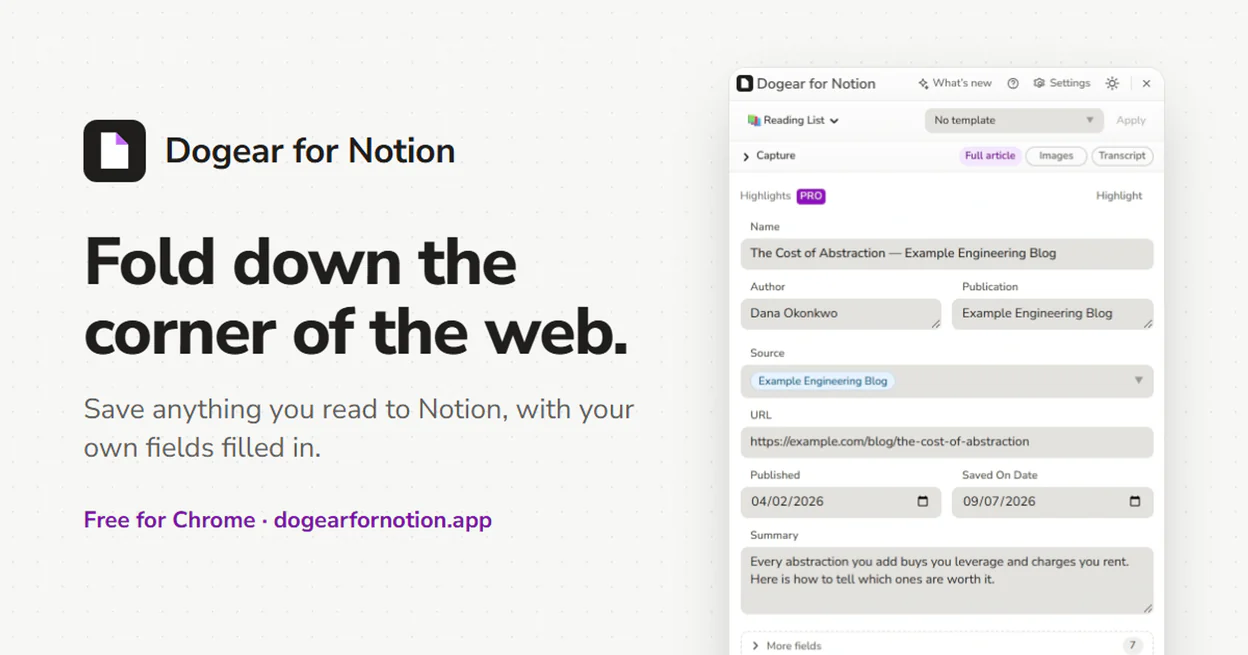
Bookmarks are where reading goes to be forgotten. Dogear saves the page itself into your own Notion databases, with their properties filled in from the page and articles arriving as real Notion blocks, not just a title and a link. Saving to any database is free, unlimited, and needs no account; a Pro subscription adds image and PDF uploads, video transcripts, AI summaries, and more. It's been on the Chrome Web Store since September 2026.
Features
- Save to any Notion database, with every property type supported
- Full article capture, with headings, lists, quotes, code, and tables saved as real Notion blocks
- Save a whole article, or select just the part you want
- Videos, posts, and Google Docs, Sheets, and Slides all save as more than a bookmark
- Save chats from AI assistants, including Grok, DeepSeek, Perplexity, and Microsoft Copilot
- Per-site rules, folders, and saved form presets
- Save every open tab in one pass, skipping the ones already in your database
- Highlight as you read, with highlights kept in sync with Notion on every computer
- Pro adds image and PDF uploads, page screenshots, video transcripts, and AI summaries and tagging
- Light and dark themes, seven accent colors, and a panel you can drag anywhere and resize
- Accounts and subscriptions built on Clerk and Stripe, with a seven-day free trial
Screenshots
Your database's properties, filled in from the page
The whole article, or just the part you want
Choose what fills each column
Save every open tab in one pass
Dark mode